Skip to product information

Epson F170 SureColor Sublimation Printer

Epson F170 SureColor Sublimation Printer

#1 Selling Sublimation Printer 1-Year Warranty Set-up Support

Best for: The Epson F170 is the best beginner sublimation printer for creating tumblers, mugs, and small custom products up to 8.5" x 14".

Regular price $399.00
Sale price $399.00 Regular price $399.00
Shipping calculated at checkout.
Order by F170 Printer Only

We accept

Sezzle afterpay or shopPay

Save on F170 Printer Bundles

epson f170 ultimate sublimation bundle - epson f170, plus oven, tumbler press, heat press and tumblers and sublimation blanks
Epson F170 SureColor Sublimation Printer
Ultimate Bundle
$1,299.00
epson f170 flat heat press bundle
Epson F170 SureColor Sublimation Printer
Flat Press Bundle
$765.00
epson f170 printer blanks bundle
Epson F170 SureColor Sublimation Printer
Blanks Bundle
$569.00
epson f170, tumbler press bundle
Epson F170 SureColor Sublimation Printer
Tumbler Press Bundle
$649.00
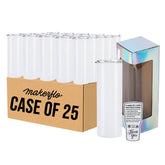
20oz Skinny Sublimation Tumbler
Case of 25
$179.00

Order Your Epson F170 From MakerFlo

10% Off Case 20oz Skinny Add to cart

$10 Off code WELCOME (first order only)

Free Creative Fabrica Design Pack

Epson F170 Highlights

→ Easy set-up, compact desktop size

→ Print 8.5 x 14 (full wrap most tumblers)

→ Best for tumblers & small blanks

Details


Epson F170

The Epson SureColor F170 is the best-selling desktop sublimation printer for sublimation makers and small businesses. Purpose-built for vibrant sublimation results with genuine Epson Sublimation Ink.

In stock - ships free in the lower 48 US states. 

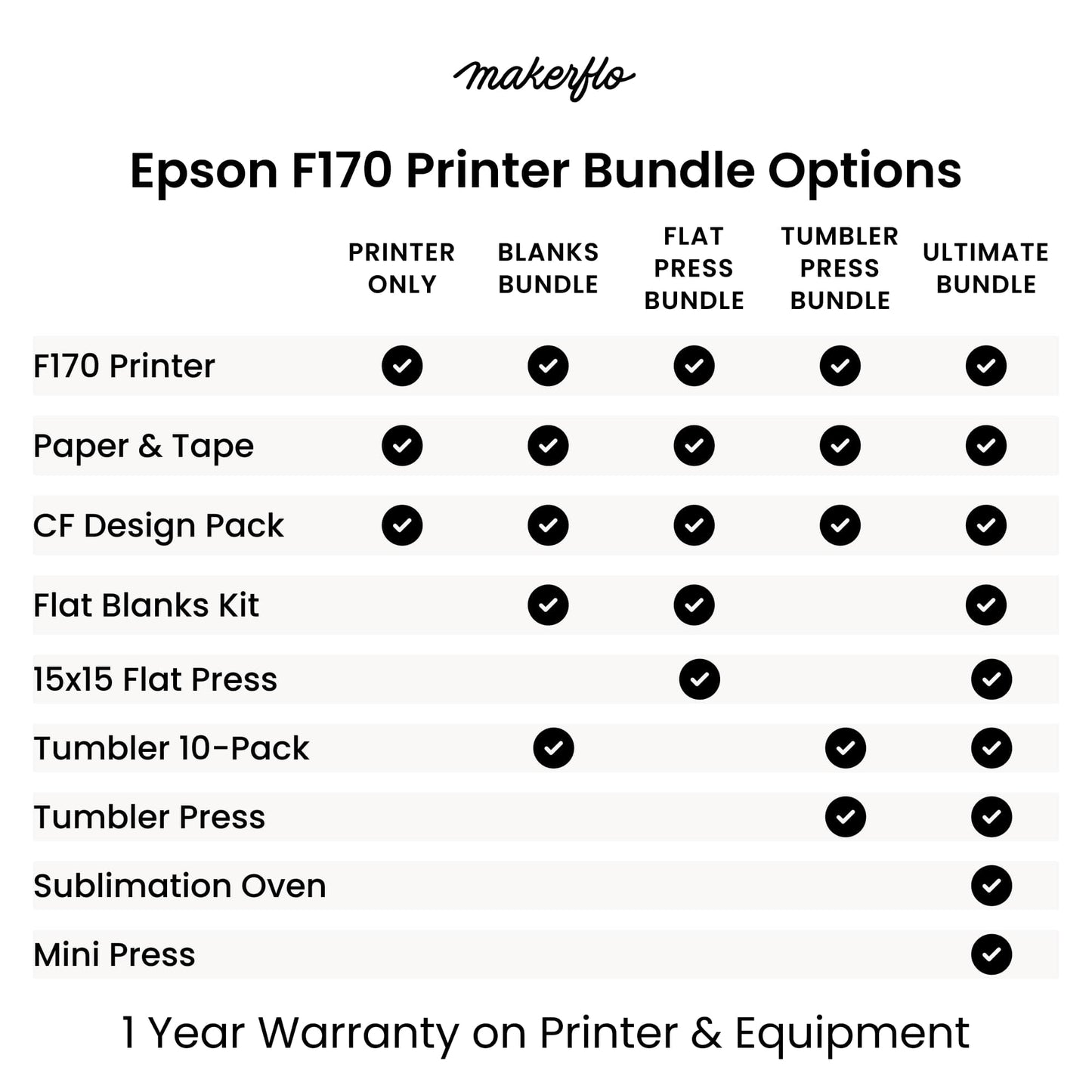
MakerFlo offers 5 ways to order the Epson F170 SureColor Sublimation Printer.  Get everything you need for your sublimation shop and save when you upgrade to a printer bundle. 

Epson F170 Printer Only 

  • Epson F170 Printer with 1-year warranty
  • Full CMYK ink set (140ml bottles)
  • Epson F170 Maintenance tank
  • Design pack from Creative Fabrica ($1000 value)


Epson F170 Blanks Bundle 

  • Epson F170 Printer with 1-year warranty, full CMYK ink set (140ml bottles) and Epson F170 maintenance tank
  • 1 Pack ea. of 8.5x11 & 8.5x14 MakerFlo sublimation paper
  • 1 Roll ea. of skinny and wide heat resistant tape
  • Design pack from Creative Fabrica ($1000 value)
  • Sublimation Tumbler 10-Pack
  • Sublimation Flat Blanks Starter Kit (includes tools and 12 flat blanks, 2 each of kitchen towels, coasters, luggage tags, glitter pouch, wind spinners and bottle openers)


Epson F170 Flat Press Bundle 

  • Epson F170 Printer with 1-year warranty, full CMYK ink set (140ml bottles) and Epson F170 maintenance tank
  • 1 Pack ea. of 8.5x11 & 8.5x14 MakerFlo sublimation paper
  • 1 Roll ea. of skinny and wide heat resistant tape
  • Design pack from Creative Fabrica ($1000 value)
  • MakerFlo Automatic 15x15 Flat Heat Press
  • Sublimation Flat Blanks Starter Kit (includes tools and 12 flat blanks, 2 each of kitchen towels, coasters, luggage tags, glitter pouch, wind spinners and bottle openers)


Epson F170 Tumbler Press Bundle 

  • Epson F170 Printer with 1-year warranty, full CMYK ink set (140ml bottles) and Epson F170 maintenance tank
  • 1 Pack ea. of 8.5x11 & 8.5x14 MakerFlo sublimation paper
  • 1 Roll ea. of skinny and wide heat resistant tape
  • Design pack from Creative Fabrica ($1000 value)
  • MakerFlo Automatic Tumbler Heat Press
  • Sublimation Tumbler 10-Pack


Epson F170 Ultimate Bundle - BEST VALUE

  • Epson F170 Printer with 1-year warranty, full CMYK ink set (140ml bottles) and Epson F170 maintenance tank
  • 1 Pack ea. of 8.5x11 & 8.5x14 MakerFlo sublimation paper
  • 1 Roll ea. of skinny and wide heat resistant tape
  • Design pack from Creative Fabrica ($1000 value)
  • MakerFlo Sublimation Oven, 40L
  • MakerFlo Automatic Tumbler Heat Press
  • MakerFlo Automatic 15x15 Flat Heat Press
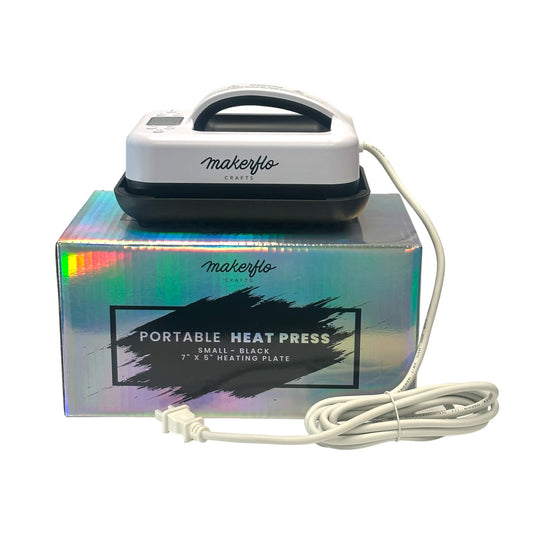
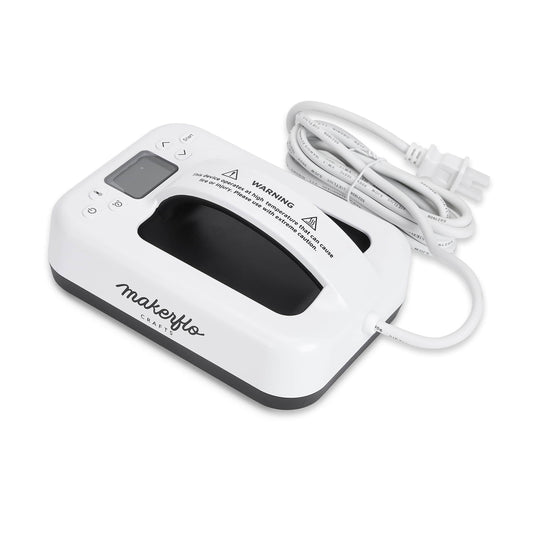
  • MakerFlo Mini 7x5 Portable Heat Press
  • Sublimation Tumbler 10-Pack
  • Sublimation Flat Blanks Starter Kit (includes tools and 12 flat blanks, 2 each of kitchen towels, coasters, luggage tags, glitter pouch, wind spinners and bottle openers)


Epson F170 Technical Specifications:

  • Max Print Size: Up to 8.5 x 14 sheets
  • Paper Capacity: 150-sheet auto-feed tray
  • Resolution: 1200 x 600 dpi
  • Technology: PrecisionCore microTFP® printhead
  • Compatibility: Mac and Windows (not mobile devices)
  • Connectivity: USB and wireless options

The Epson F170 is Perfect For: Creating custom tumblers, small size t-shirts, mugs, keychains, mousepads, and other sublimation crafts. Ideal for beginners through small business owners.

Support & Warranty:  1-year Epson warranty plus lifetime MakerFlo support. Our team helps with setup and answers all your sublimation questions at sales@makerflo.com.

Note: The Epson F170 requires computer with internet connection. Does not print from phones/tablets. US shipping only.

MakerFlo is an authorized Epson Reseller. 

View Epson Product Guide | See FAQs Below

Times & Temps

Using the MakerFlo Sublimation Oven

Prep Apply your design securely with heat tape, no need for shrink wrap!

Bake 375 °F for 5-6 minutes. If laying tumblers in oven horizontally, rotate 180° halfway through baking, at about 3 minutes.

Use the temps & times above as a starting point and adjust as necessary, as local environments may affect bake times and temps.

Always follow the manufacturer’s instructions for your oven and sublimation blanks for setting the temperature and timer.

Using the MakerFlo Automatic 15x15 Heat Press

Product tips

  • Allow 15-20 mins for pre-heat time
  • Follow temperature, time and pressure guidelines from your product supplier
  • Test materials before final project
  • Use memory pre-sets for items you customize regularly   
  • Handle with care and use a heat glove 
  • Practice makes perfect!


Pressure Setting Guidelines

  • 40kg for Sublimation and delicate materials
  • 60kg for Tees, HTV and general heat transfers
  • 80kg for DTF and multi-layer transfers

Using the MakerFlo Automatic Tumbler Press

Directions for use 

  • For MakerFlo tumblers we recommend 355F for 60 seconds, then turn 180 degrees & press again for another 60 seconds
  • Our Tumbler Press fits the following MakerFlo tumbler sizes 12oz Sippy to 30oz Thick -- our 32oz Hydro Bottle and 40oz Sublimation Tumblers will not fit in this press
  • See user manual for time & temp guidance for ceramic mugs, glassware and other surfaces

Product tips

  • Heats to 350F in 3 minutes
  • Follow temperature, time and pressure guidelines from your product supplier
  • Test tumblers before final project
  • Handle with care and use a heat glove 
  • Practice makes perfect!

How sublimation works

The coating we apply to our sublimation tumblers absorbs sublimation ink when pressed or baked onto the tumbler using heat. The sublimation process creates a vibrant, pristine and completely smooth design on the tumbler or surface, unlike a decal, which may leave ridges around the ink.

Specifications

Epson F170 SureColor Sublimation Printer Specs

Print:

Printing Technology: PrecisionCore microTFP® printhead

Maximum Print Resolution: 1200 x 600 dpi

Minimum Ink Droplet Size: Variable-Sized Droplet Technology

Nozzle Configuration: 784 nozzles; 400 nozzles Black, 128 nozzles x Cyan, Magenta, and Yellow

Ink:

Ink Type: Epson T49M Ink Bottles

Ink Palette: 4-color (C, M, Y, K)

Replacement Ink:

  • Black Ink Bottle T49M120
  • Cyan Ink Bottle T49M220
  • Magenta Ink Bottle T49M320
  • Yellow Ink Bottle T49M420

General:

Operating Systems: Windows® 10, Windows 8, 8.1 (32-bit, 64-bit), Windows 7 (32-bit, 64-bit)Mac® OS X® 10.6 – macOS® 10.15.x6

Temperature:

  • Operating: 50 ° to 95 °F (10 ° to 35 °C)
  • Storage: -4 ° to 104 °F (-20 ° to 40 °C)

Humidity:

  • Operating: 20 – 80%
  • Storage: 5 – 85% (no condensation)

Sound Level:

  • Power: 6.6 B(A)
  • Pressure: 53 dB(A)

Dimensions:

  • Printing: 14.8" x 19.8" x 7.4"
  • Storage: 13.7" x 13.7" x 7.4"

Weight: 10.2 lb

Safety Approvals: Safety standards UL60950, CSA C22.2 No. 60950 EMI FCC Part 15 subpart B class B, CAN/CSA-CEI/IEC CISPR 22 class B

Country of Origin: Philippines

Warranty: Standard 1-year unit exchange with toll-free phone support Monday through Friday

Epson Intelligent Ink Cartridges:

In-box Cartridge Fill Volume: Bottle: C, M, Y, K: 140 mL each

Retail Cartridge Fill Volume: Bottle: C, M, Y, K: 140 mL

Ink Cartridge Shelf Life: 2 years from printed production date or 6 months after opened. Printer is designed for use with Epson ink bottles only, not third-party ink bottles or ink.*

Printable Area and Accuracy:

Maximum Paper Width: 8.5"

Minimum Paper Width: Sheet: 3.5"

Maximum Printable Length: Limited by application, OS and driver/RIP used4

Sheet Media Handling:

Sheet Loading:

  • Max. Paper Size: 8.5" x 47.2"
  • Paper Types: Epson DS Multi Use transfer paper
  • Input Paper Capacity: Up to 150 sheets

Left/Right Margins: 3 mm each (0.24" total)

Printer Details:

Display: 2.4" color LCD with buttons

Interfaces: Standard Connectivity

  • Hi-Speed USB
  • Wireless (802.11 b/g/n)4
  • Wi-Fi Direct4
  • Ethernet (10/100 Mbps)

Power:

Rated Voltage: AC 100 – 240 V Universal (Automatic)

Rated Frequency: 50 – 60 Hz

Rated Current: 0.4 – 0.2 A

Power Consumption:

  • Approx. 13 W (Operating)
  • Approx. 4.1 W (Ready)
  • Approx. 0.7 W (Sleep)

Epson F170 SureColor Sublimation Printer Specs

Operating Systems:

  • Windows® 10
  • Windows 8
  • 8.1 (32-bit, 64-bit)
  • Windows 7 (32-bit, 64-bit)
  • Mac® OS X® 10.6 – macOS® 10.15.x6

Temperature:

  • Operating: 50 ° to 95 °F (10 ° to 35 °C)
  • Storage: -4 ° to 104 °F (-20 ° to 40 °C)

Humidity:

  • Operating: 20 – 80%
  • Storage: 5 – 85% (no condensation)

Nozzle Configuration: 784 nozzles; 400 nozzles Black, 128 nozzles x Cyan, Magenta, and Yellow

Maximum Print Resolution: 1200 x 600 dpi

Max. Paper Size: 8.5" x 47.2"

Input Paper Capacity: Up to 150 sheets

Ink Type: Epson T49M Ink Bottles

Ink Palette: 4-color (C, M, Y, K)

Replacement Ink:

  • Black Ink Bottle T49M120
  • Cyan Ink Bottle T49M220
  • Magenta Ink Bottle T49M320
  • Yellow Ink Bottle T49M420

Dimensions:

  • Printing: 14.8" x 19.8" x 7.4"
  • Storage: 13.7" x 13.7" x 7.4"

Weight: 10.2 lbs

Manufacturer Warranty: Standard 1-year unit exchange, please contact Epson® directly

Item Return

This item cannot be returned once it has been used. If you are having issues with this item, please contact us and we will be happy to diagnose the issue. Please remember that this product does come with a 1 year manufacturer's warranty directly from Epson.

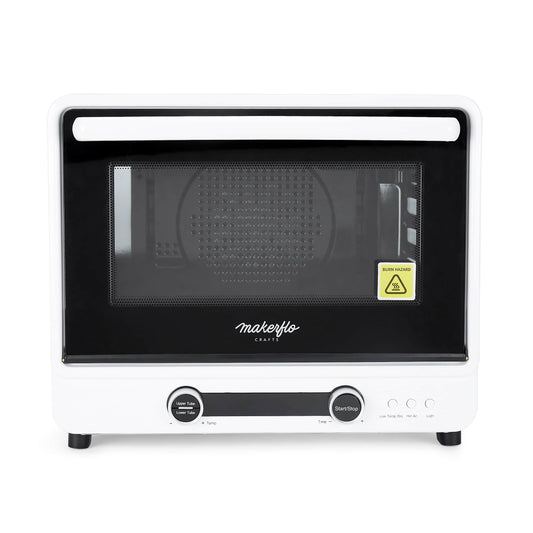
MakerFlo 40L Sublimation Oven

Sublimation Smart Convection Oven (18" L x 14" W x 15" H)

Features:

  • Comes with 1 Heat Glove, 1 Wire Shelf, 1 Metal Mesh Shelf for smaller objects, and 1 Catch Plate to catch any debris or dirt
  • Parts included: 3 upper tubes, 3 lower tubes, 1 back tube, 1 fan, and 1 oven light
  • Upper and lower heating tubes can be adjusted together or separately
  • Voltage: AC120V 50Hz
  • Power: 1600W+400W(2000W)
  • Temperature range: 140° F - 446° F
  • 25 lbs.
  • Equipped with six heating tubes to produce more uniform heat
  • Consistent temperature is guaranteed due to the four-sided enamel cavity
  • Digital temperature control system with smart sensor can detect temperature change and adjust it automatically
  • Double-layered heat-resistant door makes it safe to operate and touch
  • Whirlwind in the back makes the heat penetrate the entire interior area

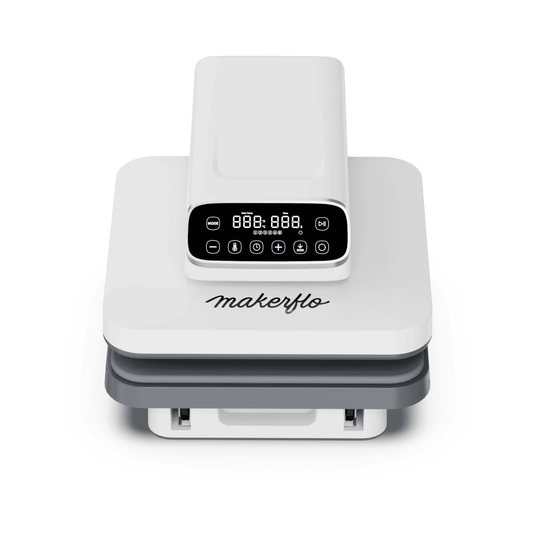
MakerFlo 15x15 Auto Heat Press

  • Large 15"x15" Work Area 
  • Even Heating Plate 
  • Digital Control Panel 
  • Three Pressure Settings Choose from 40kg, 60kg, or 80kg of pressure
  • One-Touch Automatic Mode
  • Six Memory Presets 
  • Slide-Out Bottom Tray 
  • Compact, Space-Efficient Build 
  • Hands-Free & Low-Fatigue Operation 
  • Automatic Shut-Off 
  • Pre-Heat Beep Indicator 

Dimensions & Specs

  • Size 19.625 L x 15.75 W x 11 H
  • Weight 40 lbs 6.4oz
  • 1-Year MakerFlo Limited Warranty
  • User Manual 

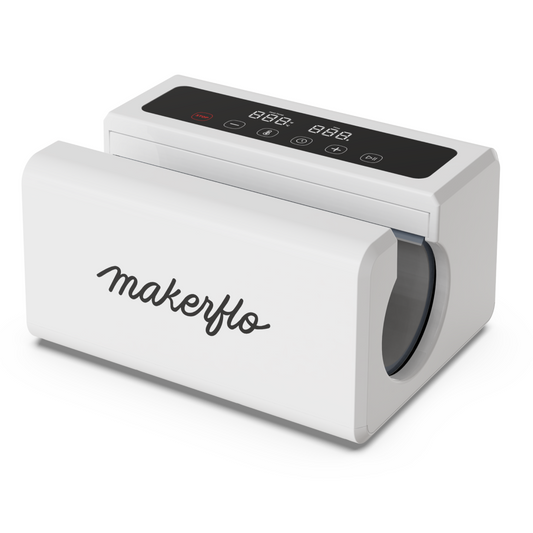
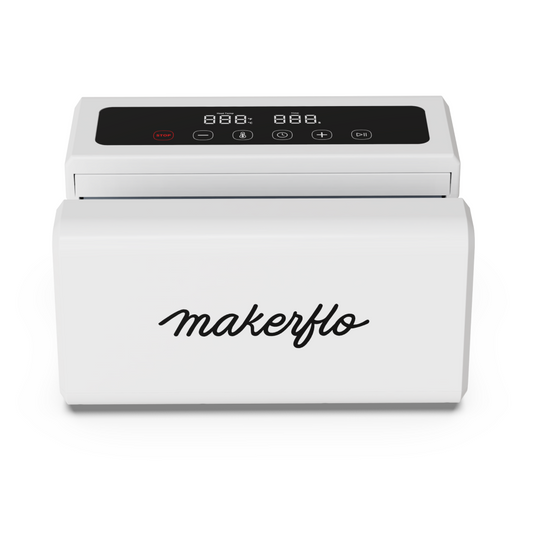
Automatic Tumbler Press

  • Heats to 350F in 3 minutes
  • Digital Display 
  • Automatic Pressure Applies even, consistent pressure across the entire tumbler
  • Wide Compatibility & Versatile 
  • Compact, Space-Saving Design I
  • Even Heat Distribution 
  • Automatic Shut-Off 
  • Wide Temperature Range (104–392°F) 
  • Pre-Heat Beep Indicator 
  • Hands-Free Operation 
  • Beginner-Friendly & Comfortable to Use 
     

Dimensions & Specs

  • Size 11.625 L x 8.75 W x 6.25 H  
  • Weight   9 lbs 6.4 oz
  • 1-Year MakerFlo Limited Warranty
  • Link to manual

Portable Mini Heat Press

  • 7 x 5 Ceramic-Coated Heating Plate
  • Dual Voltage: 110V or 220V
  • Power Consumption: 300W or 500W 
  • Size: 8.5 L x 6.25 W x 4.4 H
  • Weight 3.3lbs
  • Download manual

Shipping & Returns


2 Day Order Processing 
All orders are processed and shipped within 2 business days. Weekend or holiday orders will begin processing the next business day.  Processing times may increase during peak seasons. Same day processing is available for $10 and guarantees your order will ship within 24 business hours of being received.


Same Day Processing - $10
For $10, we offer priority fulfillment to ship your order the same day if requested by 3pm AZ Time. Orders placed after 3pm AZ Time will ship the following day. Same Day Processing fee does not include expedited shipping.


Shipping
All rates - Continental USA (Contiguous 48)
• $6.95 when spending $0-$9.99
• $12.95 when spending $10-$98.99
• Free when spending $99+ (does not include UV DTF & DTF orders)
• UV DTF & DTF orders ship separately at $6.99, or free when order is over $75+
• Expedited shipping options available at checkout


Alaska, Hawaii, Territories & Military
Price will be calculated at checkout based on your location. These orders are typically only shipped via USPS. 


International Shipping
Shipping & duty will be calculated at checkout based on your location. Customs clearance, taxes and duty charges are included in the calculated rate.


Track Your Shipment
A shipment confirmation with tracking information will be sent to your email once the package has been scanned in by the carrier. Oftentimes the packages are scanned late at night.
 
 
Local Pickup
Free! We are located at 6100 W Gila Springs Place Suite 13 Chandler, AZ 85226, Open hours are M-F 9AM-5PM. Customers will receive an email once the order is ready for pickup.


Returns Policy (learn more)

  • 30-Day Return Policy: Request a return within 30 days of receiving your item.

  • Return Conditions:

    • Item must be unused, in original condition, with tags and packaging.
    • A 15% restocking fee applies to unused equipment (e.g., printers, machines).
    • Return shipping will be incurred by the buyer, unless the items were incorrect or arrived damaged.
    • The 30-day return window starts on the date the tracking number shows status as delivered.


View full details

Epson F170 vs Epson F570: Which should you choose?

Quick Answer: Choose the Epson F170 for beginners and small products like tumblers and mugs. Choose the Epson F570 for large-format printing and high-volume production.

  • Choose Epson F170 if you:
    • Are starting a sublimation business
    • Primarily make tumblers, mugs, and small items
    • Need a lower-cost entry point
  • Choose Epson F570 if you:
    • Print large apparel designs
    • Need 24" wide prints
    • Run high-volume or commercial jobs

Key Differences Between Epson F170 and F570

  • Print size: F170 (8.5" x 14") vs F570 (24" wide)
  • Best use: F170 (small items) vs F570 (large apparel & banners)
  • Price: F170 (budget-friendly) vs F570 (professional investment)

Best Use Cases

  • Epson F170: Tumblers, mugs, small crafts
  • Epson F570: Apparel brands, bulk printing, signage

FAQ Epson F170

Answers to all your Epson F170 questions

What can you make with the Epson F170 sublimation printer?

The Epson F170 sublimation printer has a maximum print size of 8.5" x 14" making it a great sublimation printer for tumblers, mugs and other small items. With the F170, you'll be able to sublimate most MakerFlo sublimation tumblers and blanks with full wrap designs.

What can you make with 8.5 x 14 prints

  • Sippy cups
  • Mugs
  • Wine tumblers
  • Camper mugs
  • 20oz skinny tumblers
  • 40oz tumblers
  • Coasters
  • Kitchen towels
  • Luggage tags
  • Bottle openers
  • Wind spinners
  • Make-up pouches
  • Sublimation pens & pens
  • Prints for small size apparel, tote bags, blankets & more

Makerflo offers a variety of stainless steel and white sublimation coated tumblers and drinkware.


Is the Epson F170 better for making drinkware or apparel?

With the Epson F170 you can sublimate both tumblers and apparel, but the max print size of 8.5x14 may limit you from making large size apparel for full size prints for some L to XL tee shirts.

Best for Tumblers → Epson F170 (print size allows full-wrap sublimation of most tumbler sizes)

Best for Apparel → Epson F570 Pro (it's larger print size allows for sublimating ALL sizes of t shirts and apparel).

Is the Epson F170 beginner-friendly?

Yes, the Epson F170 is ideal for beginners. It's easy to set up, comes with user-friendly software, and includes everything needed to start sublimating right away.

  • Great price point → The Epson F170 can get your sublimation business started at a low cost
  • The size is compact for desktop printing
  • Print up to 8.5x14 → large enough to sublimate a wide variety of items — from tumblers to keychains, mousepads, and even some apparel.
  • Easy set up and software
  • Compared to other sublimation printers, the Epson F170 ink is less expensive, saving you money over time.

How much ink comes with the Epson F170?

The Epson F170 comes with a full set of CMYK ink bottles 140mL each (4 bottles total). Genuine Epson Sublimation Ink and a Epson F170 Tank are included with your purchase when you order the Epson F170 or any Epson F170 Printer Bundle from MakerFlo.

All Epson F170 printers from MakerFlo are brand new, include a 1-year warranty, set-up support and a free design pack from Creative Fabrica.

How do I set up the Epson F170 printer?

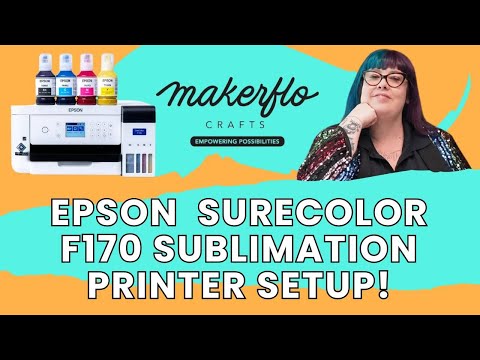
Setting up the F170 SureColor is easy and we've made some helpful videos to make it even easier!

Your Epson F170 Sublimation Printer comes with a 1-year warranty and technical support is available from Epson. When you purchase from MakerFlo you'll also have access to our experienced team to assist you with anything you need from setting up your printer to trouble-shooting maker issues.

To contact us with questions email us at sales@makerflo.com

You can find sublimation guides and business resources right here at MakerFlo!

What supplies do I need to start sublimating with the Epson F170?

Once your printer is set up, here's what else you'll need to start making sublimated items

  • Sublimation Blanks Specially coated tumblers and blanks designed to absorb the sublimation printer ink from your designs Shop sublimation blanks
  • Designs See this blog post for 1000+ ideas and free designs to get started with
  • Supplies - Sublimation Paper, Heat Tape & a Heat glove (so you don't get burnt)
  • Heat Equipment For tumblers or round items you'll need a sublimation oven or a tumbler press. For flat items like tote bags, wind spinners and apparel you'll need a flat heat press.

Can the Epson F170 print large enough for t-shirts and apparel?

Yes, the Epson F170 can print transfers for t-shirts up to 8.5" x 14". The F170 works well for standard designs, youth shirts, and pocket prints. For full-size adult apparel or all-over prints, consider the Epson F570 Pro instead of the F170.

While the F170 can print sizes up to 8.5" x 14", allowing you to sublimate apparel in many ways, a maximum 8.5” x 14” transfer may create limitations when fulfilling customer orders for oversized apparel or designs that require larger prints (up to 14” x 16”) or “all-over” printed apparel.

If you're looking to get into a full-fledged apparel business, a larger format printer like the Epson F570 may be the preferred choice, offering full-service printing options and a larger max print width of 24”.

Can the Epson F170 print from iPhones, Androids or Tablets?

No, the Epson F170 Sublimation Printer will not print from a phone or tablet. You must have a computer running on Windows or Mac OS in order to operate this sublimation printer and it's software. The F170 Epson sublimation printer also requires that your computer is connected to the internet in order to print.

Does the Epson F170 work with Windows and Mac OS?

Yes, the Epson F170 printer and software will work with both Mac and Windows operating systems.

Does MakerFlo offer financing for the Epson F170?

MakerFlo offers Buy Now, Pay Later options thru Afterpay, Sezzle and ShopPay. Terms differ depending on which provider you use.

Epson F170 and F570 Comparison Chart

Which sublimation printer is best for your business?

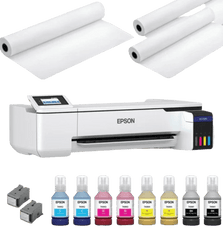
epson f170 surecolor sublimation printer with ink bottles

Printer

Epson F170

Epson F570 Pro

MakerFlo Price

$399.00

$2,745.00

MakerFlo Offer

10% off one case 20oz Skinny Sub at purchase

10% off one case 20oz Skinny Sub at purchase

Epson 1 Year Warranty

Print Software

Mac OS & Windows Software

Epson Edge Print Pro

Ink Included

One set

Two Sets

Max Print Width

8.5" x 11" or 8.5" x 14"

24" Roll or 11" Sheet

Print Resolution

1200 x 600 dpi

2400 x 1200 dpi

Auto Mirroring

Built-in Cutter for Rolls

Print from Phone or Tablet

Dimensions

14.8" x 19.8" x 7.4"

38" x 32" x 10"

Weight

10.2 lbs

64 lbs

MakerFlo Review (Best For)

Tumblers, Mugs, Mousepads, Ornaments, XS-M Sized Apparel

High volume print orders, banners, apparel, commercial and brand work

Advanced Features

Pinpoint Color Precision, Print Quality Control & Working With Teams

Support

MakerFlo Expert Support

MakerFlo Expert Support

Upgrade Your Epson F170 Sublimation Workflow
Swipe to see more
Sublimation Oven
Best for Drinkware
Best For Drinkware pens ornaments hard goods
Capacity 12 × 20oz or up to 40oz items
Speed ~6 minutes per batch
Advantages Even heat on curved and flat items batch production multiple shapes
View Product
Automatic Flat Press
Pro Apparel
Best For Apparel totes décor coasters patches
Capacity 15" × 15" press area
Speed Fast auto-cycle
Advantages Automatic open and close selectable 40kg 60kg 80kg pressure consistent results
View Product
Tumbler Press
Drinkware Starter
Best For Straight drinkware 12oz–30oz
Capacity 1 tumbler per cycle
Speed ~2 minutes per tumbler
Advantages Compact beginner-friendly reliable cylinder heating
View Product
Mini Flat Press
Portable & Light
Best For Patches labels small blanks quick fixes
Capacity 5" × 7" plate
Speed Fast warm-up quick single jobs
Advantages Portable event-ready travel and on-site work
View Product

Sublimation For Pros

Acheive professional results every print, every bake, every press with high-quality sublimation tumblers, blanks and supplies from MakerFlo. Get all the materials and resources you need for your sublimation business.

Why Choose the Epson F170 Sublimation Printer?

The Epson F170, officially known as the Epson SureColor F170, is the most popular desktop sublimation printer for crafters and small businesses. Unlike converted printers, the F170 is purpose-built for sublimation with genuine Epson sublimation inks.

Epson F170 Key Features

  • Print Size: Up to 8.5" x 14" - perfect for tumblers, shirts, and crafts
  • Ink: High-capacity bottles (140ml) included with purchase
  • Warranty: 1-year warranty with expert MakerFlo support
  • What's Included: Printer, full ink set, power cable, setup guide, and driver software, 1 pack paper & 2 rolls sub tape

Is the Epson F170 Right for You?

The F170 is ideal if you're:

  • Making tumblers, mugs, and small apparel items
  • Starting a sublimation business on a budget
  • Need reliable, consistent color output
  • Want genuine Epson support and warranty

Note: For full-size t-shirts and large format printing, consider the Epson F570 Pro for 24" inch wide printing.